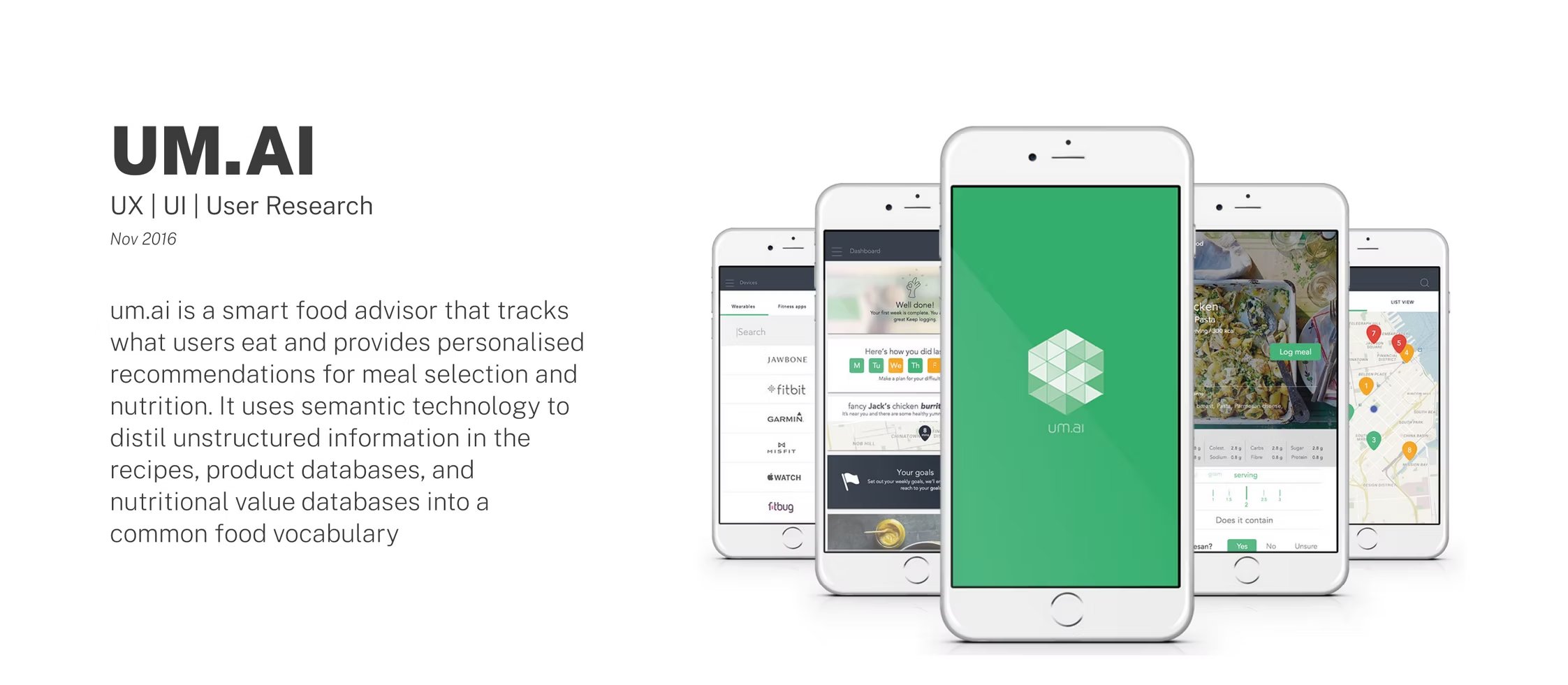
Fig. 01 — UM.AI · UX/UI · User research
2015 · iOS · pre-AI era
A decade before “AI products” became a category: how do you design a smart food advisor that learns what you eat — without transformers, without LLMs, without anyone in the room having ever said the word chatbot?
UM.AI tracks what users eat and provides personalised recommendations for meal selection and nutritional value. Its core thesis: distil unstructured information from recipes, product databases and nutritional databases into a common food vocabulary the app can reason about.
In 2015 there wasn't a name for this kind of product. We called it Food.AI internally and shipped the first version on iOS to a small group of London users.
I joined as an early member of the team and delivered the entire design surface across product, brand, marketing and investment — including promotional videos. The product was a logging app on the surface and a knowledge graph underneath: every meal a user logged extended a small, very specific food vocabulary the recommender used to talk back.
This is, in retrospect, where I learned what I now apply to LLM-era AI products: the trust people place in “intelligent” software has very little to do with the model and almost everything to do with the surface around it.
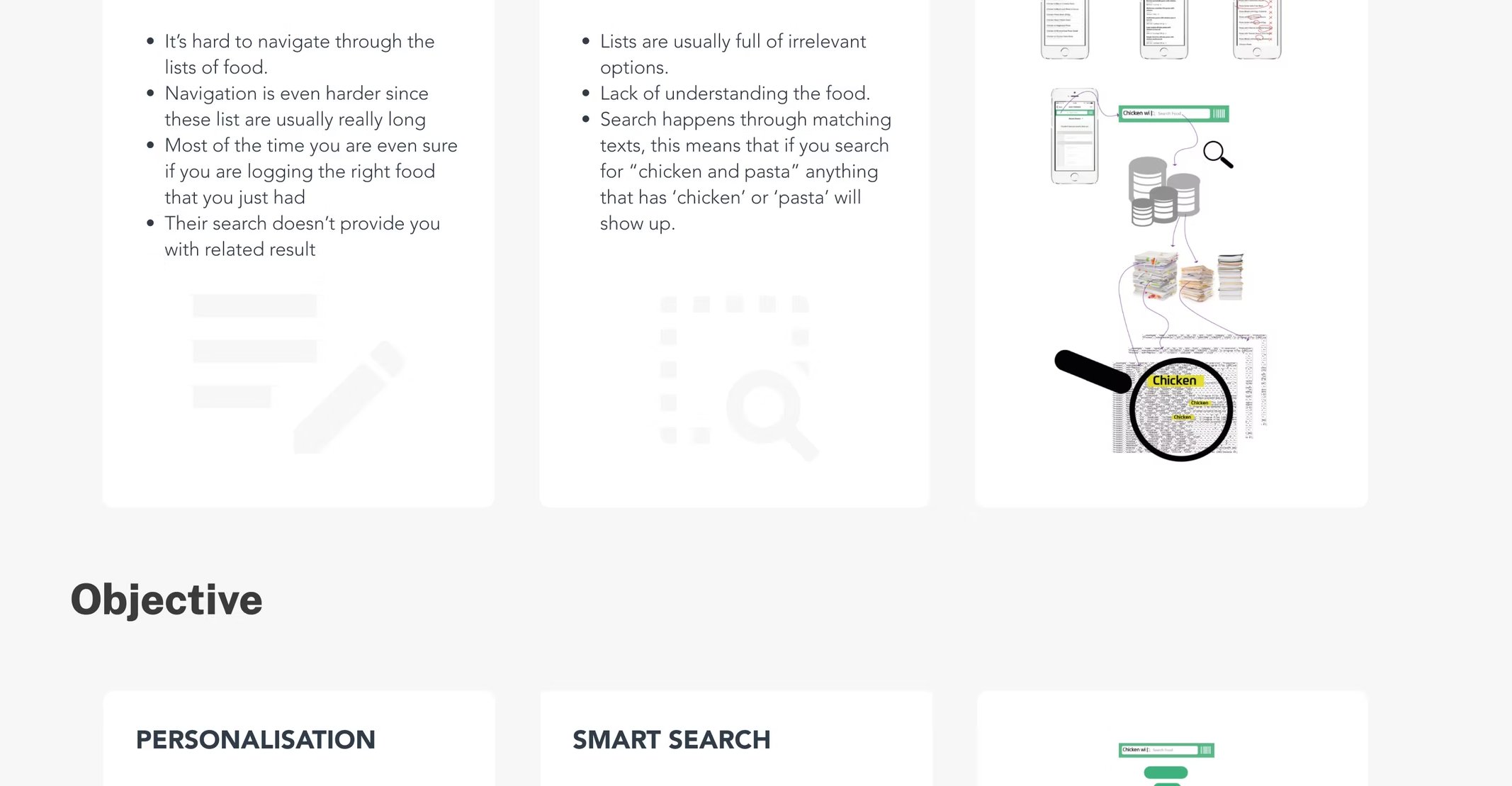
A competitive analysis of food-logging apps surfaced two big, persistent problems: logging itself was painful, and search results were irrelevant. Both came from the same root cause — databases that were lists of products, not understandings of food.
The category had spent ten years optimising the act of typing food into a phone — and almost no time on whether the phone understood what you meant.
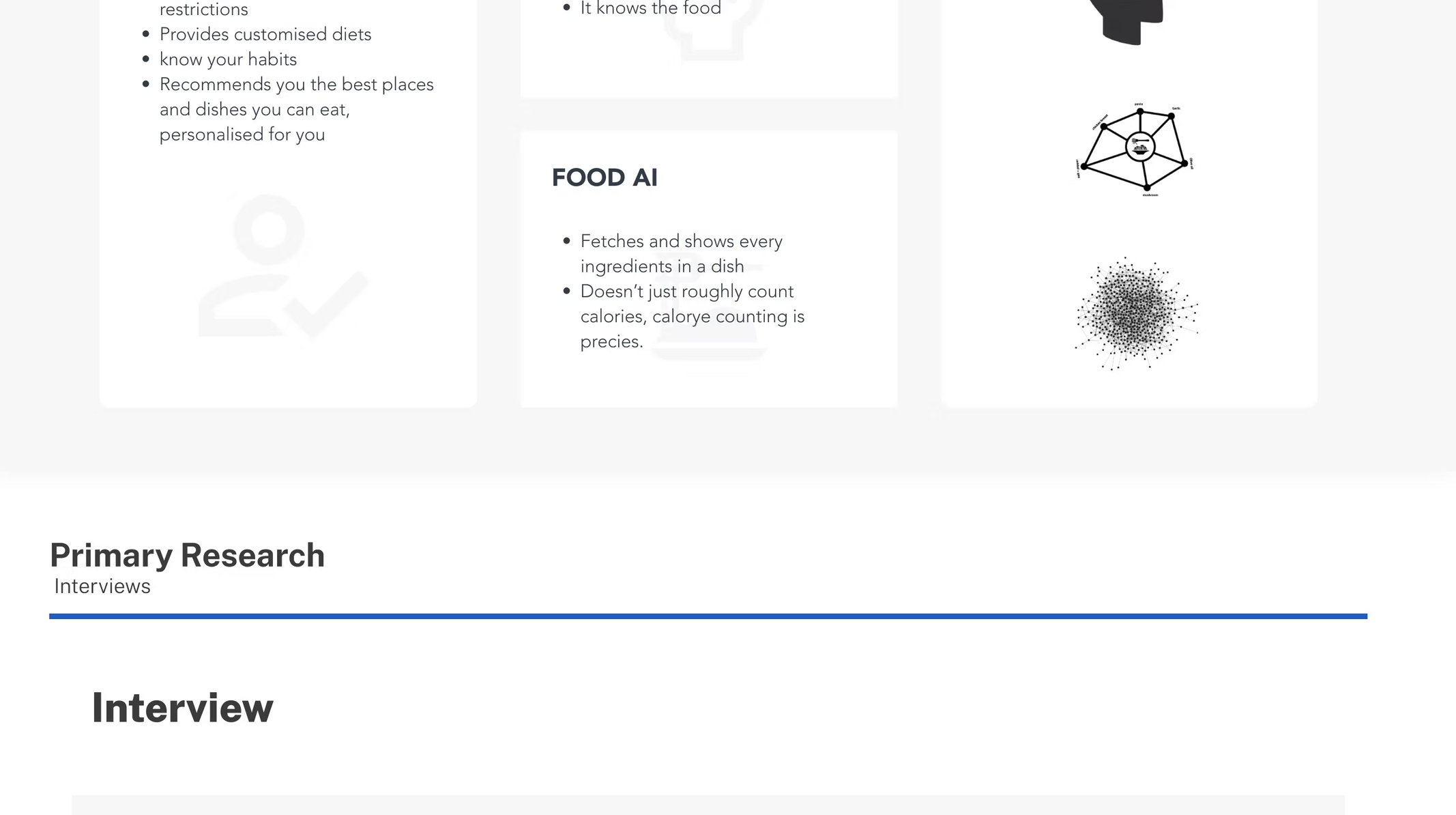
The objective split into three things the product had to do well: personalisation (it remembers what you eat and adapts), smart search (it understands fresh vs. branded, ingredient vs. dish), and Food.AI — a small knowledge graph that connects families of foods to each other, so the system doesn't get caught by random word matches.
Tailored accommodations to user needs and tastes — every meal, every search, every recommendation, weighted by what they ate before.
At-a-glance results, real auto-complete — with hierarchical understanding of ingredients vs. meals vs. branded products.
Families and known relationships, so the system doesn't get caught by random word matches.
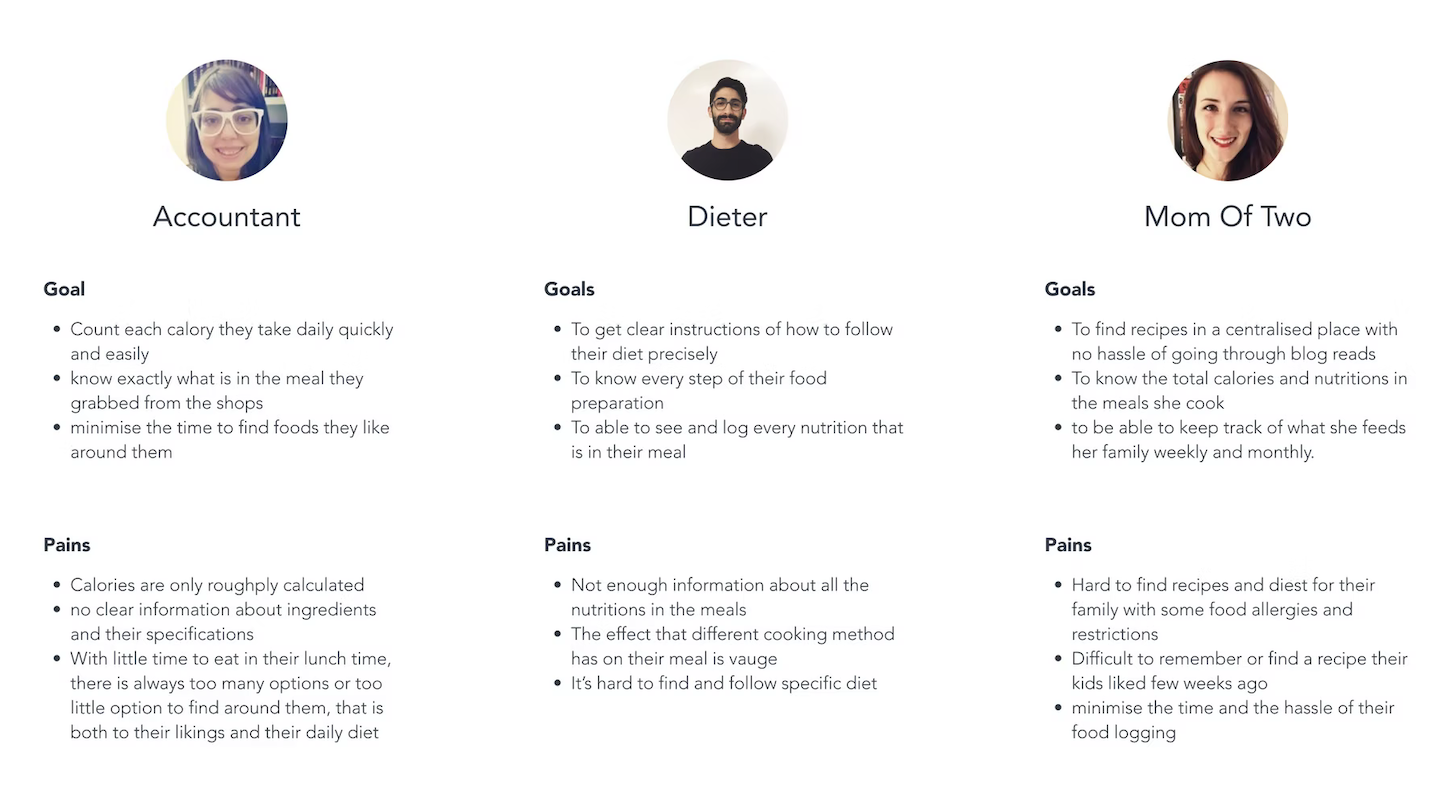
Primary research started broad and then narrowed onto three lifestyle archetypes: the Accountant — busy, mid-career, wants to eat better but has no time; the Dieter — working towards a goal, needs precision and feedback; the Mom of Two — feeding others, juggling cost, allergens and time.
Same product. Three completely different definitions of “helpful.”
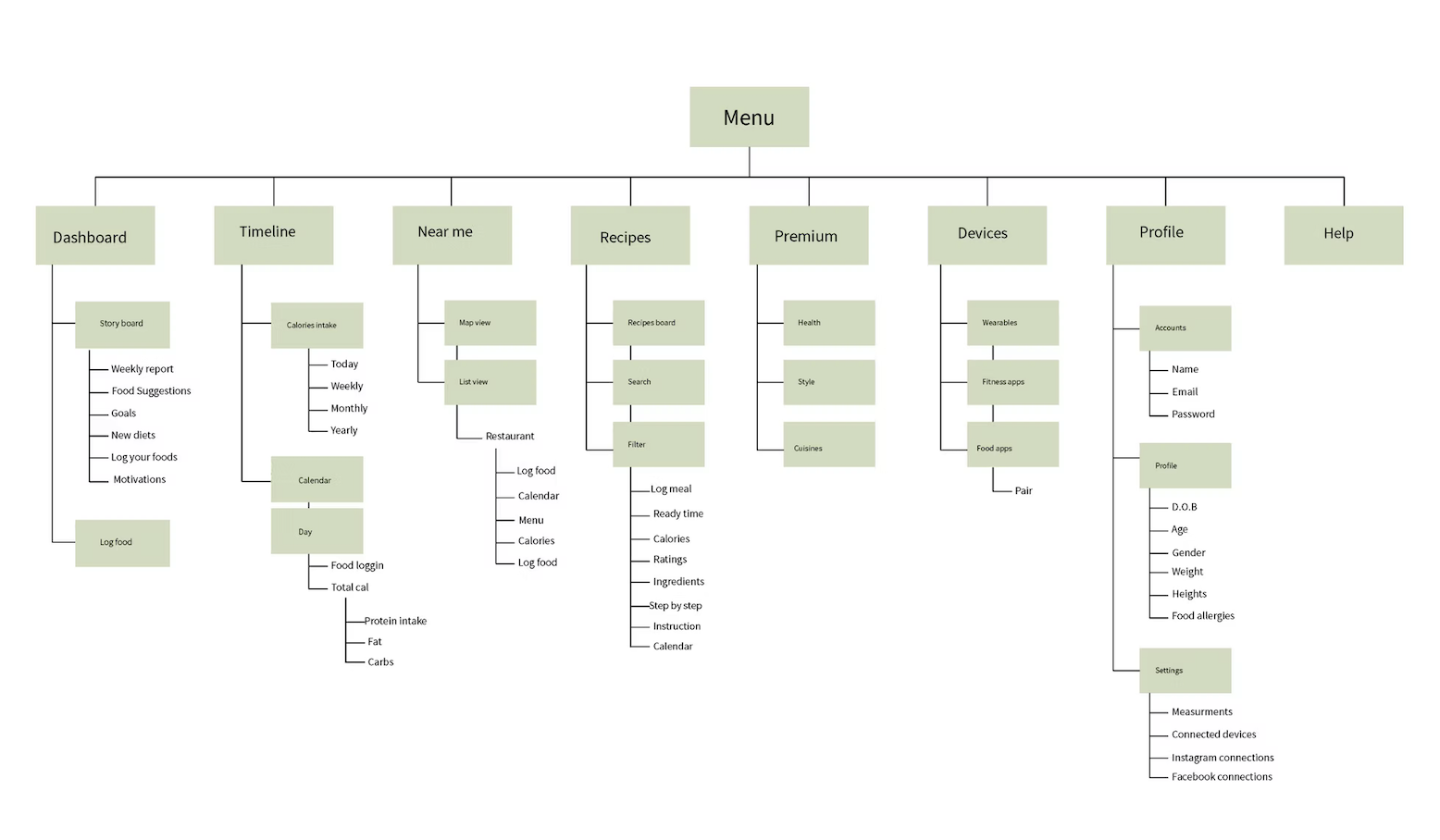
The app navigation was deliberately small — five top-level surfaces that mapped one-to-one with the recommender's capabilities. The IA was the easiest way to keep the model and the surface honest: if the engineer couldn't hang the feature on the IA tree, the feature didn't exist.
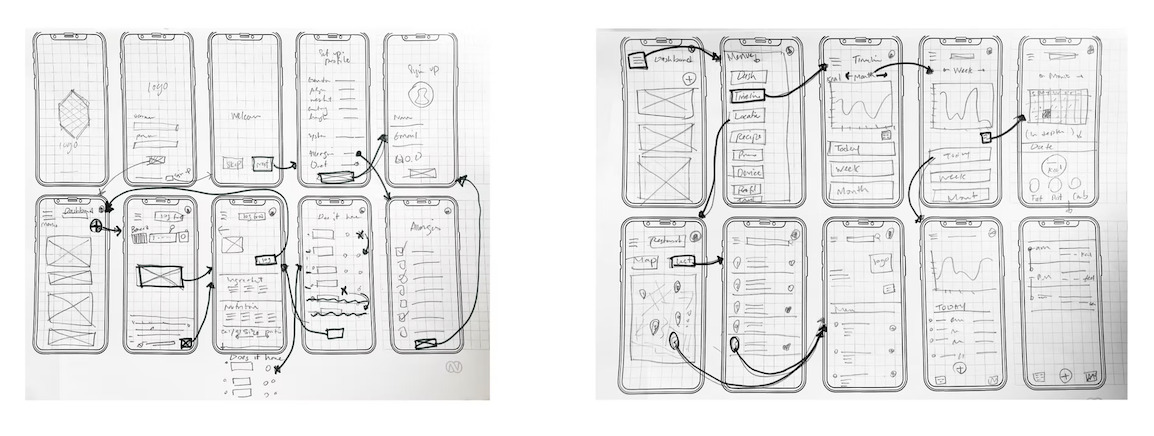
I sketched the entire app on paper first — the same way I'd sketched buildings five years before, in architecture school. The low-fi version found the load-bearing decisions in a week. The hi-fi version locked those decisions into pixels in another two.
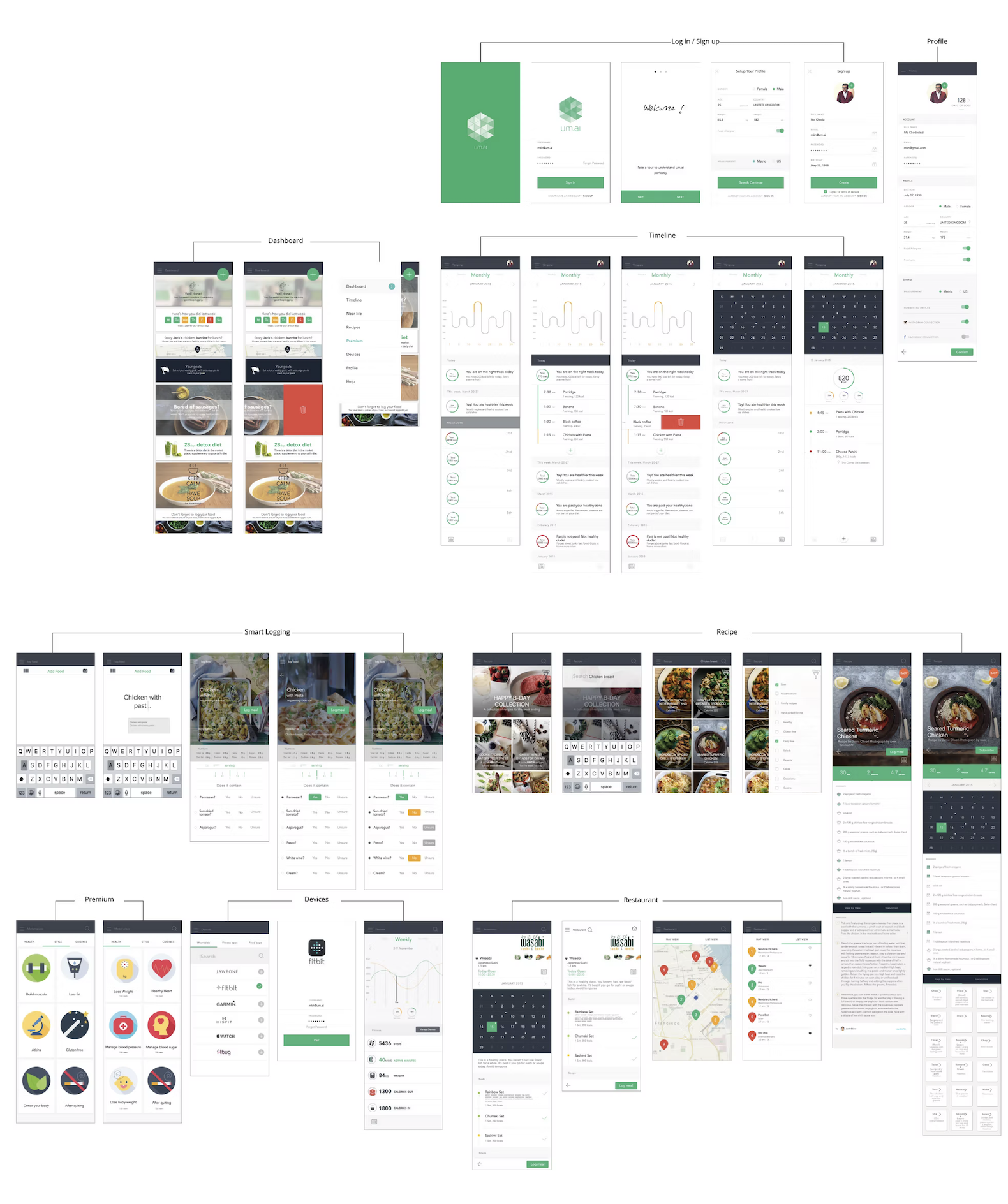
One designer, one process, eighteen months. Below: the five stages, what came out of each, and which artefacts above belong to which stage.
Competitive analysis. Pain mapping. The two big problems of food-logging surfaced.
Three objectives written down. Personalisation, Smart Search, Food AI — the contract for everything else.
Primary interviews. Three personas, three jobs to be done — same app, three definitions of helpful.
A small, opinionated site map. The contract between the design team and the recommender.
Lo-fi to hi-fi in three weeks, shipped on iOS to a small private group.
UM.AI shipped, found early users, and eventually wound down — the way most pre-category startups do. What stayed with me was the thing nobody on the team ever said out loud: a product that learns from you is mostly a UX problem, not a model problem. I've been designing on that thesis ever since.
Pre-LLM, the design problem was the same one I work on today: how do you make a learning system feel reliable? The model was rule-based. The trust was UX.
Without a good food vocabulary, the system would have recommended random crap. The recommender was only as good as the taxonomy — and the taxonomy was a design artefact.
Users called UM.AI smart long before it was. Auto-complete, sensible defaults and a clean log surface did the work the model couldn't yet.
The instinct to over-stage AI projects starts here for me. The whole arc — discover, define, research, architect, build — can fit in one head and one ninety-day cycle if you let it.